

A person taking a photograph of a kitchen counter, recording themselves completing an everyday activity or capturing how they use a computer might not think they are doing anything related to artificial intelligence. Yet these are the kinds of real-world contributions that AI developers increasingly need.
That is the idea behind Roots by micro1, a new platform announced on November 17, 2026. Rather than concentrating on the familiar AI training activities of writing prompts, rating chatbot responses or correcting generated text, Roots gives people another way to participate: contributing photographs, videos, screen recordings, wearable data and other forms of real-world information.
The announcement is worth paying attention to, particularly if you have been searching for AI training jobs that do not require advanced technical qualifications. However, there is a difference between a platform announcing that contributors can earn money and a platform demonstrating exactly how much they can earn, how frequently projects become available and which countries can participate. Those details matter.
This guide examines what Roots by micro1 actually offers, why AI developers need this kind of data, how the contribution process works, what to do when you receive a project, how to approach submissions, what is known about payment, and the privacy questions you should consider before sharing personal recordings.
If you are hearing about Roots for the first time, here is what you need to know before joining.
What Is Roots by micro1?
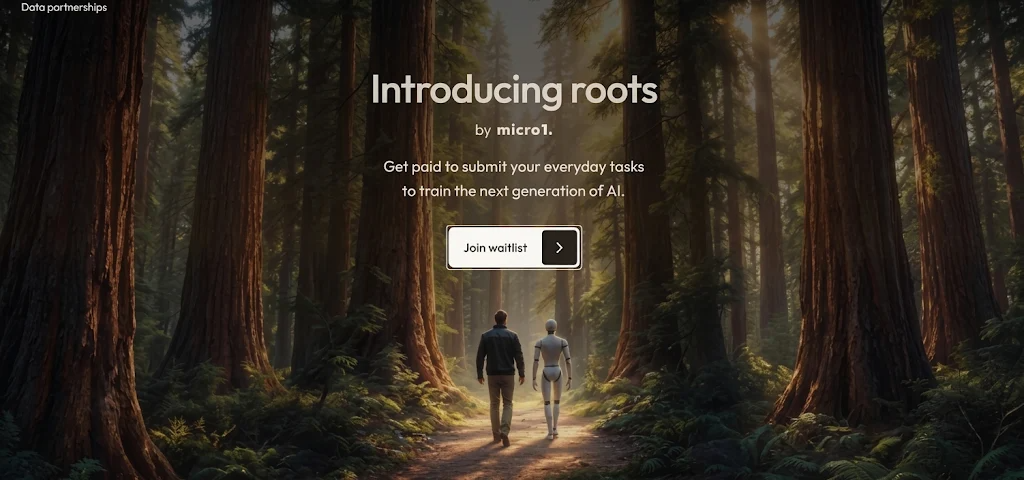
Roots is an app-based real-world data contribution platform developed by micro1. It allows individuals to participate in AI data collection by providing information gathered from real-world environments and everyday activities.
In its November 17 announcement, micro1 described Roots as a platform where people can explore available projects, capture or upload requested contributions through the app and receive payment for approved work.
The company specifically mentioned five broad areas:
Photos: Photographic contributions showing requested objects, surroundings or other visual information.
Videos: Recordings of real-world activities and environments.
Screen recordings: Captures of people interacting with computers or digital applications.
Wearable data: Information generated by compatible wearable devices.
Other data: Additional contribution categories as the platform develops.
You can read the announcement through micro1's official X account or its LinkedIn company page.
What makes Roots interesting is its approach to participation. Someone does not necessarily need to be an experienced AI evaluator or software developer to contribute certain types of data. The platform is intended to make participation in real-world AI data collection accessible to a wider group of people.
That does not mean every project is open to everyone. Individual assignments may have specific device, location, recording and eligibility requirements.
It also does not mean that uploading anything you have on your phone automatically earns money. Contributions must follow the relevant project instructions and be approved.
Why Does AI Training Need Real-World Data?
To understand why micro1 has introduced Roots, it helps to look at what developers are trying to teach AI systems to do.
A conventional language model learns from text and other training material. Human feedback can help developers assess whether its answers are accurate, relevant and useful. But some newer AI applications need to do considerably more than answer questions.
Consider a computer-use agent. Instead of explaining how to complete an online booking, it may be expected to open a website, locate the correct page, select an available option, enter information and complete the process.
A robot faces a different challenge. It needs to recognise objects, understand physical surroundings and perform actions without damaging anything or behaving unpredictably. These systems need examples that help them understand what happens outside a simple text conversation. This is where real-world data becomes useful.
For example, a photograph can show what an object looks like under particular lighting conditions. A video can demonstrate how someone handles that object. A screen recording can show the sequence of actions involved in completing a digital task.
Each type of information provides a different perspective.
Research supports the importance of this approach. Google's 2026 paper, Watch and Learn: Learning to Use Computers from Online Videos, examines how human computer-use videos can be converted into demonstrations that help train computer-using agents.
Similarly, NVIDIA's Physical AI Dataset announcement explains why collecting and organising varied real-world information is important for developing physical AI systems.
These examples help explain the wider demand behind platforms such as Roots. They do not, however, establish which specific AI models or customers will use each Roots submission.
How Is Roots Different From Traditional AI Training Jobs?
If you have previously worked on platforms such as Outlier, OneForma, DataAnnotation.tech or Mindrift, you may be familiar with tasks involving writing, evaluation, annotation and human feedback.
Roots introduces a different contribution model.
On a conventional AI response evaluation project, you might receive a question and two answers generated by an AI system. Your responsibility could be to identify which answer is more accurate, follow the instructions and explain your decision.
On an image annotation project, you might identify objects, draw bounding boxes or assign labels to photographs. A Roots project, on the other hand, may ask you to provide the underlying photograph, video or screen recording itself. There can be overlap between these activities, but they are not interchangeable.
Roots should therefore be understood as a real-world data contribution platform rather than another conventional chatbot evaluation marketplace.
What Types of Projects Can You Expect on Roots?
Micro1 has identified several contribution categories, but it has not published a complete public catalogue of individual Roots projects.
That distinction is important. The following explanations describe how the announced categories may be used and what contributors should understand about them. They are not a claim that every example is currently available as a paid assignment.
1. Photography Projects
Photography is one of the easiest contribution categories to understand. A project might require photographs of particular objects, household environments, products or other specified subjects.
For example, a project could request photographs showing different types of furniture in ordinary home settings. Another might require images of objects viewed from particular angles.
Why would AI developers want these photographs?
Visual AI systems need examples of how objects appear in different environments. A chair photographed in a brightly lit room looks different from the same chair in a dark environment. An object viewed from above may have a different visual appearance from one photographed at eye level.
A useful dataset needs sufficient variation to help a model recognise what it is looking at.
What to do if you receive a photography project:
Read the requested subject and image requirements carefully.
Check whether the project requires newly captured photographs or permits existing images.
Confirm the required image format and quantity.
Make sure the subject is clearly visible.
Avoid unnecessary personal information in the background.
Submit the images using the specified method.
Keep track of the submission and its approval status.
Do not assume that a large collection of random photographs will qualify. The project determines what is useful.
2. Video Recording Projects
Video provides information that a single photograph cannot capture. It shows movement, sequences and interactions over time.
Imagine a person opening a cupboard, taking out a cup, placing it on a table and closing the cupboard. A photograph might show the cup on the table, but a video can show the actions that led to that result.
This difference matters when developing systems that need to understand human activities.
Depending on the assignment, a video project may involve recording an everyday activity, showing how an object is handled or capturing a particular sequence of movements.
What to check before recording:
Is the project requesting first-person or third-person footage?
Does it specify a minimum or maximum recording duration?
Must the recording show the entire activity?
Is a particular camera position required?
Are there audio requirements?
Are other people allowed to appear?
Does the project specify a file format or upload limit?
Never assume that recording a task from your usual camera angle is acceptable. Follow the exact instructions.
3. Screen Recording Projects
Screen recordings are particularly relevant to the development of AI agents. An AI agent may be expected to interact with a website, use software, complete an online form or perform a sequence of actions on a computer.
Training such a system requires information about how those interactions happen.
For example, a human demonstration might show how someone opens a spreadsheet, locates a particular entry, updates a value and saves the document.
A recording can preserve the sequence of actions rather than simply showing the finished spreadsheet.
If you receive a screen-recording assignment, treat it like a controlled work task.
Before starting:
Check which application or website the project specifies.
Confirm the required operating system and device.
Understand the exact workflow you must demonstrate.
Close unrelated applications and personal tabs.
Disable notifications that might expose private messages.
Make sure passwords and confidential information cannot appear.
Confirm whether voice narration or cursor visibility is required.
During recording:
Complete the requested steps in the correct order.
Avoid unnecessary clicks or unrelated activities.
Do not skip steps unless the instructions permit it.
Keep the recording clear and uninterrupted where possible.
Do not include confidential work documents or personal account information.
A screen recording that contains the wrong workflow may be unusable even if it is technically clear.
4. Wearable Data Projects
Wearable data is one of the more unusual categories mentioned in the Roots announcement.
Smartwatches, fitness trackers and other wearable devices can collect information about movement and daily activity.
Depending on the device, this information may include step counts, activity duration, sleep patterns, heart-rate measurements and other metrics.
Such information may be useful in research involving human activity and systems that interpret data generated by wearable devices.
However, this category deserves more caution than ordinary photography.
Wearable information can reveal personal routines, sleep habits and other sensitive details. Before participating, find out precisely what information the project requires and how it will be used.
Do not purchase a smartwatch or fitness tracker simply because Roots mentions wearable data. Micro1 has not published a comprehensive list of supported devices or confirmed that every wearable category is open to contributors.
5. Other Real-World Data Projects
Micro1 also refers to additional data contributions beyond the categories listed in its announcement. This leaves room for the platform to expand as new projects become available.
When it becomes available, check the official project catalogue for confirmed assignments rather than relying on speculation circulating online.
How to Join Roots by micro1
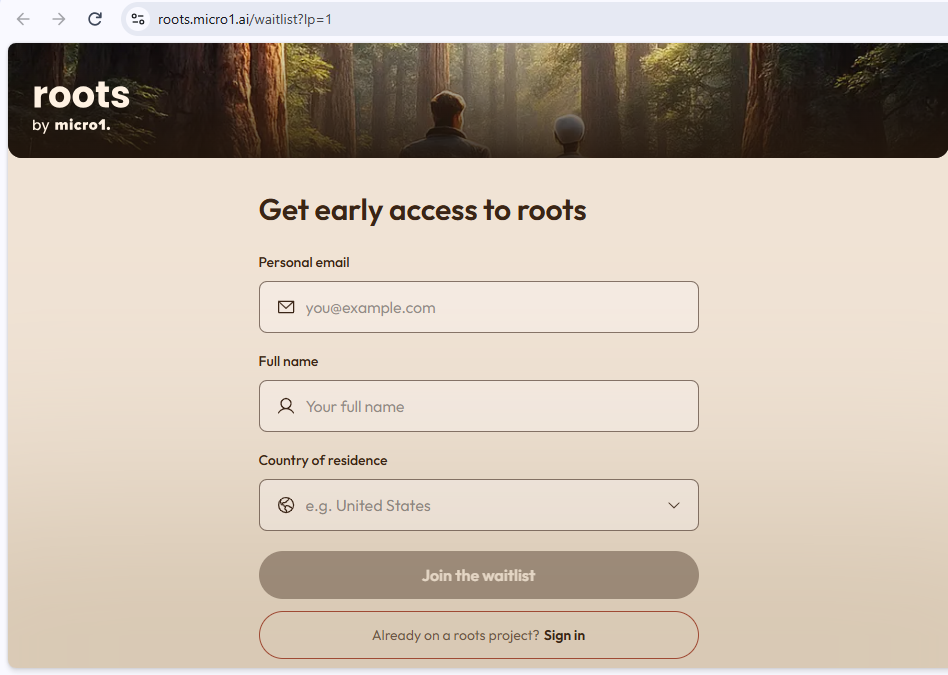
The official starting point is the Roots website:
At the time of writing, micro1's announcement directs interested contributors to join a waitlist.
The process is straightforward:
Open the official Roots website.
Look for the waitlist or registration option.
Follow the instructions provided on the page.
Submit the requested details.
Watch your email for official updates.
Joining the waitlist expresses interest; it does not guarantee immediate access to paid projects.
It is also important to distinguish registration from project availability. Even after someone gains access, there may be additional steps before they can submit work.
Micro1 has not published a complete public onboarding guide for Roots covering every possible registration and project-access scenario.
What Happens After You Join the Roots Waitlist?
This is where many prospective contributors will have questions.
Does joining the waitlist mean you can start recording immediately? Will projects appear automatically? Do you need to complete an assessment? Is there a separate verification process?
These details have not yet been comprehensively documented in the public launch announcement.
The sensible approach is to wait for official access instructions rather than treating the waitlist confirmation as a work invitation.
After submitting your details on the Roots website, you may see a confirmation screen stating that you are on the waitlist. Joining the waitlist does not automatically give you access to projects or mean you can start submitting data immediately.
The confirmation page outlines a three-step process:
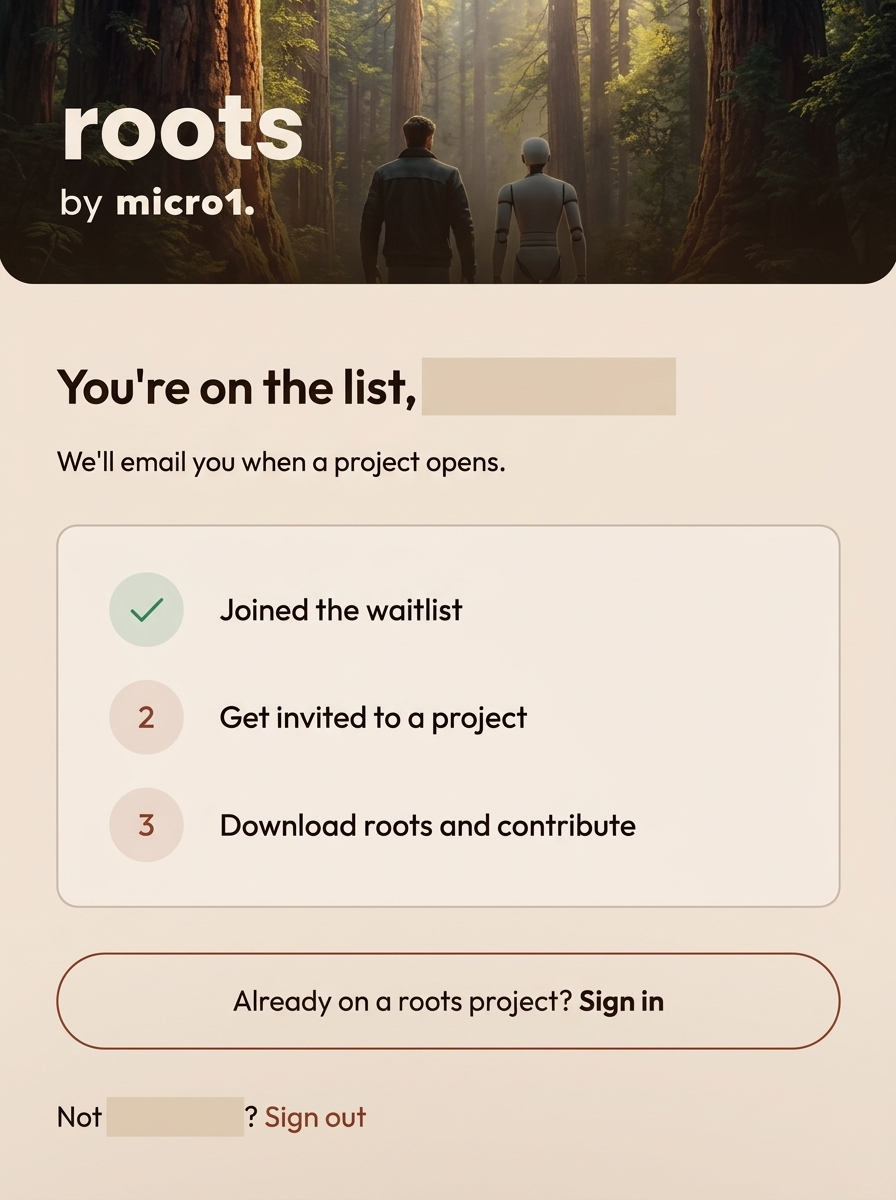
Join the waitlist: Your registration is completed, and your place on the waitlist is confirmed.
Get invited to a project: Roots says it will email you when a project opens. You must wait for an invitation to a project before moving to the next stage.
Download Roots and contribute: After receiving a project invitation, the next step is to download the Roots app and begin contributing according to the project's instructions.
What does this mean for applicants?
If you have joined the waitlist and the confirmation screen is all you can access, you have completed the initial registration step. You have not necessarily been accepted into a specific project, received a task, or been cleared to start contributing.
Keep an eye on the email address you used to register, including your spam or promotions folder, for a project invitation. There is no confirmed timeframe for how long the wait may be, and joining the list does not guarantee that a project will become available to every applicant.
This distinction is particularly important for people exploring Roots as a potential source of AI training income. Treat the waitlist as an expression of interest and an early access step—not as confirmation of an active paid assignment.
Once you receive an official invitation or access to the platform, check the following:
Whether your account has been approved.
Whether any identity or eligibility verification is required.
Whether the project catalogue is available.
Whether your device meets the requirements.
Whether there are additional consent forms.
Whether you must complete a sample submission or qualification task.
Do not start recording material for a project before you have access to its actual instructions.
What Should You Do When You Receive Your First Roots Project?
This is arguably the most important part of understanding how to use Roots.
Getting access to a platform is only the beginning. The quality of your work, your understanding of the instructions and your ability to submit the correct material will determine whether your contributions meet the project's requirements.
Suppose you receive an assignment requesting a collection of photographs or a video showing a particular activity. Before doing anything, read the project description from beginning to end.
Do not rush to start recording because you are eager to complete your first task.
Step 1: Understand the Project's Objective
Every assignment should have a purpose. Try to establish exactly what the project wants to collect and why the information is required.
If the task asks you to record a particular activity, understand which parts of the activity must appear in the recording.
If it requests photographs, identify the specific objects or visual conditions required.
The objective should guide every decision you make while completing the assignment.
Step 2: Read the Technical Requirements
Look for details about:
File type.
Video resolution.
Recording duration.
Image orientation.
Camera position.
Audio requirements.
Device compatibility.
File size.
Submission format.
A recording can look perfectly acceptable on your phone but still fail to meet a project's technical requirements.
Step 3: Understand the Acceptance Criteria
Pay close attention to anything explaining what makes a contribution acceptable.
For example, a project might require the subject to remain visible throughout a video. Another might reject photographs that are blurry or poorly framed. The exact acceptance criteria will depend on the assignment.
If something is unclear, contact the official support channel before submitting. Guessing can lead to avoidable mistakes.
Step 4: Check the Payment Terms
Before committing your time, establish how the assignment pays.
Look for:
The stated payment amount.
Whether payment is per submission, per task or calculated differently.
Whether approval is required.
Any minimum or maximum contribution limits.
The payment schedule.
The payout method.
Any project-specific conditions.
Do not assume that an advertised amount applies to every submission or that completing a task automatically guarantees payment.
Step 5: Complete the Assignment Exactly as Instructed
Follow the required procedure and avoid unnecessary additions.
If the assignment requests ten photographs of specified objects, submitting twenty unrelated photographs does not improve your work.
If it requests a particular sequence of actions, do not replace that sequence with a shortcut simply because you find it easier.
The purpose is to provide the requested data, not to demonstrate how creatively you can complete the assignment.
Step 6: Review Your Submission Before Uploading
Check the material before submitting it.
For photographs, look for blur, poor lighting and unwanted personal information.
For videos, check that the relevant activity is visible and that the recording meets the specified duration.
For screen recordings, make sure the correct workflow is shown and that private information has not appeared.
For wearable data, verify that you have included only the information requested.
Step 7: Monitor the Submission Status
Micro1 says payment is available for approved work.
Keep track of whether your contribution has been received, reviewed, approved or rejected.
If a submission is rejected, check whether the platform provides a reason and whether resubmission is permitted.
Do not assume that an approval delay means a submission has been rejected. Follow the stated review process and contact official support if the expected timeframe passes.
Does Roots by micro1 Accept Contributors From Nigeria and other African Countries?
This is an important question for people looking for remote AI work from Africa.
Unfortunately, micro1 has not yet published a comprehensive country eligibility list specifically for Roots.
Its existing expert marketplace has its own recruitment and project restrictions. Those rules should not be automatically applied to Roots.
For Nigerian and other African Countries applicants, the best approach is to register through the official Roots website and check the eligibility conditions attached to the waitlist and individual projects.
Even if registration is available in a country, individual assignments may have additional geographical restrictions.
Do not use a VPN or someone else's identity to bypass a country restriction. This can create account and payment problems.
Is Roots by micro1 Different From micro1 Experts?
Yes, and understanding this distinction will help you avoid applying for the wrong type of opportunity.
Micro1 has an established professional talent and AI training business. Its expert opportunities page provides access to roles involving people with specialist knowledge and professional skills.
For example, micro1 Experts may recruit professionals in:
Software engineering.
Law.
Medicine.
Finance.
Mathematics.
Other specialist disciplines.
These professionals can contribute domain knowledge, evaluate AI outputs and work on projects requiring particular expertise.
Roots has a different focus. The distinction matters because the application process, eligibility, project requirements and payment arrangements may differ.
Having an account with micro1 Experts does not automatically mean you have access to Roots.
Is Roots by micro1 Legit or a Scam?
It is reasonable to investigate a new platform before sharing personal information or spending time completing assignments. There are encouraging signs regarding the company behind Roots.
Micro1 is an established AI data company founded in 2022. In September 2025, the company announced a $35 million Series A funding round at a reported $500 million valuation. Its official funding announcement explains its work connecting human expertise with AI training and evaluation.
Its current website also describes work involving real-world training environments, agent evaluation and robotics data.
However, a company's established history does not automatically prove that every new product has a proven payment record.
Roots was only announced on November 17, 2026. There is not yet enough independent contributor feedback to establish its long-term reliability as a source of regular income.
My assessment is that Roots is a genuine new product announced through micro1's official channels, but its contributor experience is still at an early stage.
Be Careful With Unofficial Roots Apps
You can read the discussion in the micro1 community.
The domains identified by the company were:
micro1.ai
micro1.io
micro1.co
Until micro1 publishes an official application-store link, do not assume that an app with a similar name belongs to the company.
Never pay an individual to secure a Roots account, waitlist position or project invitation.
Privacy and Safety: What Should You Know Before Contributing?
Roots introduces an important consideration that people sometimes overlook when researching online earning platforms.
Unlike ordinary text-based tasks, some Roots contributions may involve recording your surroundings, personal activities, computer screen or information generated by wearable devices.
That creates privacy responsibilities.
In its announcement, micro1 says privacy and security are priorities. It specifically mentions:
Removing sensitive personal information from submissions.
Requiring consent when recording other people.
Securely storing submitted data.
These are useful commitments, but contributors should still read the relevant privacy notices and project terms.
Frequently Asked Questions About Roots by micro1
1. What is Roots by micro1 used for?
Roots allows individuals to contribute real-world data that can help train AI systems. Its announced categories include photographs, videos, screen recordings and wearable data.
2. When was Roots by micro1 launched?
Micro1 announced Roots on November 17, 2026.
3. Is Roots free to join?
The company has announced a waitlist but has not advertised a registration fee. Avoid anyone requesting payment for access.
4. How do I sign up for Roots by micro1?
Visit https://www.micro1.ai/roots and follow the official waitlist or registration instructions.
5. Can beginners use Roots?
The platform's announced model is designed to make real-world data contributions accessible beyond professional AI specialists. However, each project may have its own requirements.
6. Does Roots require a degree?
Micro1 has not announced a universal degree requirement for Roots. Requirements will depend on individual projects.
7. How much can you earn on Roots?
The company has confirmed payment for approved contributions, but a verified public payment schedule is not yet available.
8. Does Roots pay for photographs?
Photography is among the contribution categories identified by micro1. Whether a particular photograph qualifies for payment depends on the available project and its approval requirements.
9. Can I earn money by recording everyday activities?
Roots has announced video and other real-world data contributions. However, contributors must follow the actual project instructions rather than assume every everyday recording qualifies.
10. Does Roots accept screen recordings?
Yes. Screen recordings are explicitly mentioned in micro1's launch announcement.
11. Does Roots support wearable devices?
Wearable data is an announced contribution category. Micro1 has not yet published a complete list of compatible devices.
12. Is Roots a remote job?
It is more accurately described as a project-based data contribution opportunity than a conventional salaried remote job.
13. Does Roots guarantee regular tasks?
No such guarantee has been announced. Micro1 says new opportunities will be added regularly, but the frequency and availability of assignments are not established.
14. Can I use the same account for Roots and micro1 Experts?
Micro1 has not published a complete explanation of account arrangements across the two products. Follow the official registration instructions rather than assuming that access transfers automatically.
15. Is the Roots app available on Google Play?
Micro1 has not established a verified public app-store listing in its launch announcement. The company has advised users to rely on official website links and communications from its official email domains.
16. Does Roots reject submissions?
Micro1 says contributors are paid for approved work, which means approval matters. The complete rejection and resubmission procedure has not yet been publicly documented.
17. Can I use existing photos and videos?
Micro1 says contributors can capture or upload information. Whether existing material is accepted depends on the specific project and your right to share it.
Final Thoughts: Is Roots by micro1 Worth Following?
Roots is worth watching because it introduces a different way to participate in AI development.
Someone does not necessarily need to spend their day evaluating chatbot answers, writing prompts or completing complicated technical assignments to contribute to certain types of AI data projects. Through Roots, micro1 is opening a route for people to provide information from real-world environments and everyday activities.
That is an interesting development, particularly for people looking for AI data collection opportunities, paid video recording projects, screen-recording assignments and other forms of digital work.
But the practical details will determine how useful the platform becomes for contributors.
The payment rates, country restrictions, project availability, approval process and privacy arrangements need to become clearer before anyone can judge its earning potential properly.
For now, joining the official waitlist is a reasonable first step. Once projects become available, read the requirements carefully, check the payment terms and protect your personal information before submitting anything.
ExpertWoka will continue following Roots by micro1 as more information becomes available, particularly when the first detailed projects and contributor experiences begin to emerge.
The interesting question is no longer just what AI can learn from the internet. It is how much it can learn from the way people actually live, work and interact with the world.